Notion vs. Obsidian vs. Apple Notes vs. Craft: Ultimate 2026 Productivity Note App Comparison
Notion vs. Obsidian vs. Apple Notes vs. Craft: Ultimate 2026 Productivity Note App Comparison
As of July 2026, the ecosystem for Personal Knowledge Management (PKM) and intelligent productivity tools is experiencing an unprecedented paradigm shift. The era of simply using “a plain text notepad to write down notes and store text” is officially over.
Modern note-taking apps in July 2026 have evolved into hubs combining “autonomous generative AI agents, on-device local encryption, network graph-based knowledge management (Second Brain) beyond traditional folder structures, and multi-platform real-time collaboration infrastructure.”
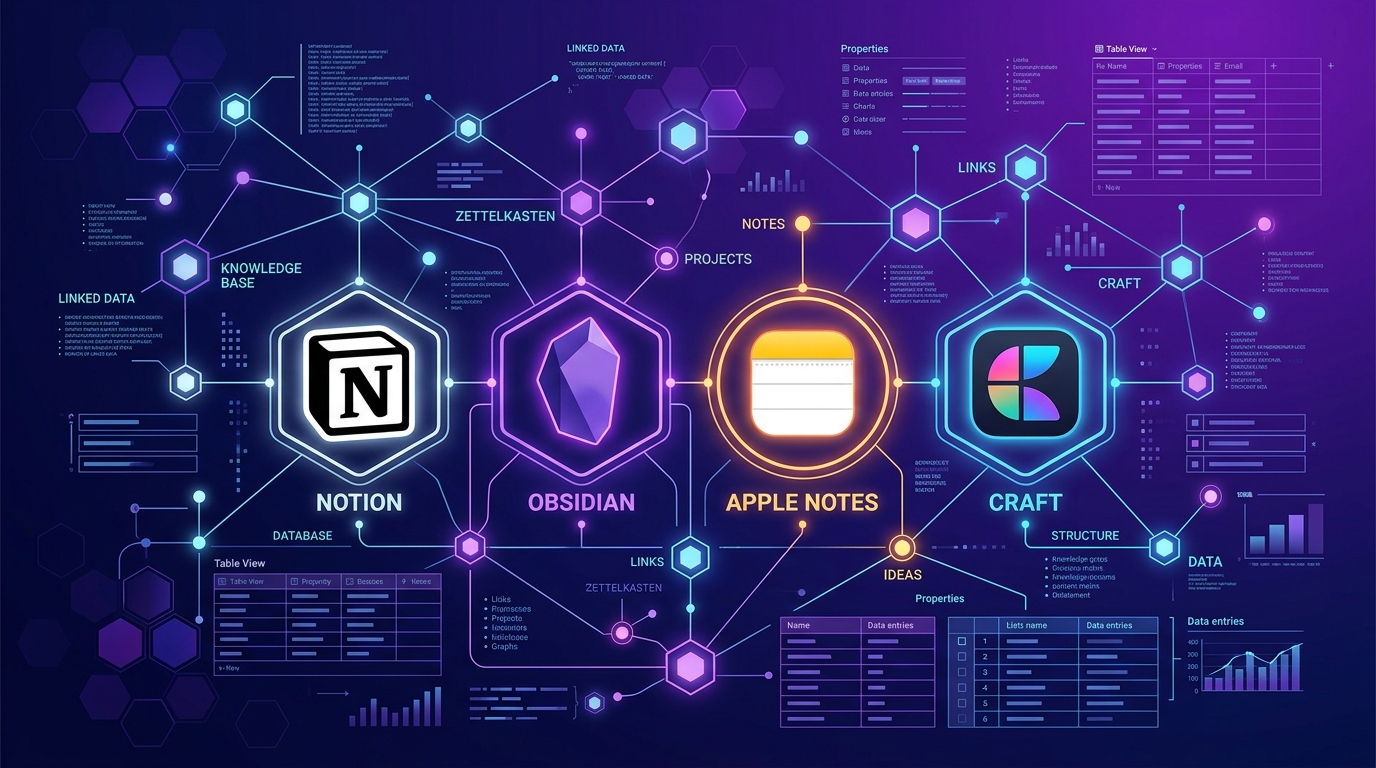
The four major productivity apps leading this market—Notion, Obsidian, Apple Notes, and Craft—each empower user productivity through distinct design philosophies and core strengths.
Based on the latest data and real-world benchmarks from July 30, 2026, this guide presents a comprehensive comparison of these four leading note-taking apps across storage architecture, data ownership, pricing, AI capabilities, sync speed, knowledge management performance, migration tips, and user-tailored recommendation guides.
1. Executive Summary: The Top 4 Productivity Note Apps at a Glance (July 2026)
For those short on time, here is a comprehensive comparison table summarizing the core specifications and key features of the top four note-taking apps as of July 2026.
📊 July 2026 Top 4 Note-Taking Apps Comparison Table
| Category | Notion | Obsidian | Apple Notes | Craft |
|---|---|---|---|---|
| Core Design Philosophy | All-in-one Workspace & Database | Personal Knowledge Management (Second Brain, PKM) | Quick Capture & Apple Ecosystem Integration | Beautiful Document Design & Block Editor |
| Data Storage Method | Centralized Cloud (Server) | 100% Local Markdown (.md) | iCloud Cloud Sync | Cloud + Offline Cache |
| Core Strengths | Database Relations, #1 Team Collaboration, Notion AI Agent | Complete Data Ownership, Knowledge Graph View, Bases Database | #1 Speed, Native Apple Intelligence, Apple Pencil Support | Elegant Block Design, PDF/Web Interactive Document Publishing |
| Database Features | ⭐⭐⭐⭐⭐ (Industry Leading) | ⭐⭐⭐⭐☆ (Introduced Bases Core Plugin) | ⭐⭐☆☆☆ (Smart Folders & Tags) | ⭐⭐⭐☆☆ (Structured Tables) |
| AI Integration | Notion AI Agent & Q&A (Bundled in $20 Business) | Plugin-based On-Device AI | Apple Intelligence (Summaries, Rewriting, Transcription) | Craft AI Assistant |
| Free Plan | Unlimited personal pages (No block limits) | 100% Free Forever for Personal Use | Included free with Apple devices | Free plan with document/block limits |
| Key Paid Plans | Plus: $8–$10/mo Business: $20/mo (Includes AI) |
Free core Sync: $4–$5/mo (Optional) |
Free (5GB iCloud) iCloud+: $0.99+/mo |
Plus: $8–$10/mo Family/Team plans |
| Plugins & Extensibility | Notion API & Widgets | 2,000+ Community Plugins | None (Apple Closed System) | Extension Integration Templates |
| Best Suited For | Team projects, startup wikis, complex workflow builders | Personal researchers, developers, long-term knowledge preservers, security-conscious users | Quick note takers, iPhone/Mac users | Designers, creators of beautiful proposals & reports |
2. Storage Architecture & Data Ownership: Cloud vs. Local Markdown
When choosing a note-taking app, the most fundamental factor determining the safety of your data years down the line is: “Where and in what format are my notes stored?”
💾 1) Cloud Centralized (Notion & Craft) vs. Local Markdown (Obsidian)
[Data Storage Method & Ownership Structure]
- Notion        : Stored in block units on Notion company server DB ➔ Work limited if internet is cut off
- Obsidian      : Stored as .md (Markdown) files directly on your PC/Smartphone SSD ➔ 100% owned forever even if Notion/Obsidian disappears!
- Apple Notes   : Transferred to Apple iCloud database ➔ Background sync across Apple devices
- Craft         : Craft Cloud + Offline Local Cache ➔ Stored as styled block structures
① Obsidian - Pride of 100% Data Ownership
- All notes written in Obsidian are saved directly to your local PC drive as plain text Markdown (.md) files.
- Even if company servers go down or the service shuts down, you can still read and edit your notes 100% in any text editor or application 10 years from now.
- Because all files reside locally, the app launches and operates in 0.1 seconds even in offline environments without an internet connection.
② Notion - Cloud All-in-One Database
- In Notion, all pages and tables exist as blocks on a cloud database.
- While it provides powerful relational database features such as Database Relations, Formulas, and Rollups, operating completely offline is difficult, and exporting data to Markdown may result in partial loss of complex table structures.
3. Core Feature Showdown: Knowledge Graph vs. Database vs. Design
The four apps excel in completely different domains.
🕸️ 1) Obsidian: Second Brain, Knowledge Graph View, and ‘Bases’
- Knowledge Graph View: Linking notes with
[[Note Title]]brackets visualizes your thoughts and knowledge into a web-like 3D graph map. Over time, fragments of ideas connect to spawn new insights. - 2026 Latest ‘Bases’ Feature: Obsidian’s historical weakness—the lack of native database tables—is now solved. Through the core Bases plugin, metadata (YAML/Frontmatter) of local Markdown files can be seamlessly displayed as clean Table, Kanban board, and Gallery views, just like Notion.
📊 2) Notion: All-in-One Workspace & Startup Wiki
- Relational Databases: Link projects, tasks, assignees, and documents to build a complete company operations system.
- #1 Real-Time Team Collaboration: Simultaneously co-authoring pages, commenting, and managing granular permissions with colleagues remains the undisputed #1 in the industry.
⚡ 3) Apple Notes: #1 Speed & Apple Intelligence
- Unrivaled Accessibility: Tapping the lock screen on an iPhone with an Apple Pencil instantly opens a note in 0.1 seconds.
- Apple Intelligence Integration: Upgraded Apple Intelligence in 2026 summarizes long documents, refines tone, and transcribes voice recordings into text in real time.
- Cross-Note Links (
>>): Typing>>lets you instantly link to other notes, evolving Apple Notes from a simple notepad into a knowledge management tool.
🎨 4) Craft: Top-Tier Readability & Elegant Document Design
- Magazine-Style Document Layouts: Offers the most refined card styles, cover images, and block styling.
- One-Click Web/PDF Sharing: Publish documents as beautiful websites or high-resolution PDFs with a single click—ideal for proposals.
4. AI Capabilities & Agent Integration (July 2026 Trends)
In July 2026, the success of a note-taking app heavily hinges on “how intelligently AI can read and assist with your notes.”
🤖 AI Feature Comparison Table Across the 4 Apps
| Category | Notion (Notion AI Agent) | Obsidian (Obsidian AI) | Apple Notes (Apple Intelligence) | Craft (Craft AI) |
|---|---|---|---|---|
| AI Architecture | Cloud Large Model (Notion Agent) | Plugin / On-Device Local LLM | On-Device NPU + Private Cloud | Cloud AI Agent |
| Workspace Q&A | ✅ Excellent (“Find project A across my entire workspace”) | ✅ (Smart Connections plugin) | ⚠️ Limited (Per-note focus) | ✅ Supported |
| Privacy & Security | Server processing (Enterprise compliance) | 100% Local PC processing (Zero leaks) | 100% On-device privacy | Server processing |
| AI Cost | Bundled in Business Plan ($20/mo) | Free (Personal API keys or Local LLM) | Free (Included with Apple devices) | Included in Pro plan |
- Notion’s Notion AI Agent: Functions like a personal scribe who knows your entire workspace. Asking “Summarize and fact-check marketing budget items from last month’s meeting notes” prompts it to scan thousands of notes and compile a synthesized report.
- Obsidian’s On-Device AI: Security-conscious researchers or confidential document writers can run AI locally using tools like Ollama, enabling full AI note search without an internet connection or privacy risks.
5. Plugin & Extension Ecosystem Detailed Comparison
Here is how the ecosystems compare when extending your app into a customized productivity space.
[Extensibility & Customization Capacity]
- Obsidian   : ⭐⭐⭐⭐⭐ (2,000+ community plugins, full CSS theme customization)
- Notion     : ⭐⭐⭐⭐☆ (Zapier, Make, and widget integrations via Notion API)
- Craft      : ⭐⭐⭐☆☆ (Official extension templates & API integrations)
- Apple Notes: ⭐⭐☆☆☆ (Single closed Apple ecosystem, no deep customization)
🔌 Top 5 Essential Obsidian Plugins
- Dataview: Essential tool for querying Markdown metadata using SQL/DQL syntax.
- Excalidraw: Seamlessly draw intuitive hand-drawn diagrams directly inside notes.
- Omnisearch: Instantly search full-text Markdown, attached PDFs, and images (OCR) globally.
- Kanban: Visually manage tasks by turning Markdown documents into drag-and-drop card boards.
- Templater: Automatically insert intelligent templates with dynamic dates, time, and metadata.
6. Search Performance & Offline Benchmark
Comparison of search performance and offline availability in real-world daily workflows.
⏱️ Offline Operation & Speed Benchmarks
-
App Launch & First Search Speed:
- 1st - Apple Notes: 0.1s (Native OS integration)
- 2nd - Obsidian: 0.3s (Direct local SSD file reads)
- 3rd - Craft: 1.2s (Offline cache reads)
- 4th - Notion: 2.5s – 4.0s (Cloud server indexing requests)
-
Offline Stability (Airplane / Subway):
- Obsidian: 100% offline functionality guaranteed (Zero sync conflicts)
- Apple Notes: 100% background sync queue guaranteed
- Craft: Offline editing with auto-merging upon reconnecting
- Notion: Editing cached pages is possible, but database searching and creating new relations are restricted until connected online
7. Detailed Pricing & Cost Structure Comparison
Comparison of official pricing and value across the four apps as of July 2026.
💰 1) Detailed Pricing Breakdown
① Notion
- Free: Unlimited personal pages & blocks (5MB file upload limit)
- Plus: $10/mo ($8/mo billed annually) - Unlimited file uploads, 30-day version history
- Business: $20/mo - Includes full Notion AI & Agent capabilities, SAML SSO security
② Obsidian
- Personal: 100% Free Forever (No feature restrictions)
- Obsidian Sync (Optional): $5/mo ($4/mo billed annually) - Official end-to-end encrypted multi-device sync
- Obsidian Publish (Optional): $10/mo - Instantly publish notes as public websites
③ Apple Notes
- Free: 100% free with Apple device purchases (Uses default 5GB iCloud storage)
④ Craft
- Free: Basic usage (Limited documents and blocks)
- Plus: $10/mo ($8/mo billed annually) - Unlimited blocks, large file uploads, AI support
💡 Pricing Value Takeaways:
- Best $0 Option: Obsidian — All features free forever without subscription fees (free sync via Syncthing, iCloud, Google Drive, etc.).
- Best Value for Teams/Companies: Notion Business ($20/mo) — Combines team wiki + AI agent, reducing extra AI tool subscriptions.
8. Tailored Recommendations by User Persona
Based on the above analysis, here is a customized selection guide depending on your primary use case.
🎯 1) Startups, Team Leads, and System Builders
- Best Choice: Notion
- Why: Project management, database relations, team doc sharing, and real-time co-authoring are unmatched.
🎯 2) Researchers, Writers, Developers, and Privacy-Conscious Power Users
- Best Choice: Obsidian
- Why: Own your knowledge forever with 100% local Markdown. Build a powerful Second Brain with Graph View and the new 2026 Bases feature.
🎯 3) iPhone/Mac Users & Quick Idea Capturers
- Best Choice: Apple Notes
- Why: Instant 0.1-second launch speed, Apple Intelligence smart summaries, and native Apple Pencil handwriting support.
🎯 4) Visual Communicators, Proposal Authors, & Report Designers
- Best Choice: Craft
- Why: Modern block styling and one-click interactive web document publishing.
9. Note App Migration & Practical Transition Tips
Key migration know-how to keep in mind when moving data between note-taking apps.
🔄 1) Migrating from Notion to Obsidian
- Select Markdown & CSV instead of HTML under Notion’s
Settings > Export content. - Since Notion relational tables export as plain text, use Obsidian’s 2026 Bases feature to re-organize metadata.
🔄 2) Migrating from Apple Notes to Markdown Apps
- Because Apple Notes limits native exports, use tools like Exporter or the Obsidian Importer plugin to batch-export iPhone/Mac notes to .md format.
10. Conclusion: Building Your Ideal 2026 Note System
The key takeaway in July 2026 is that “there is no single perfect note-taking app; a hybrid strategy combining tools tailored to your specific needs leads to victory.”
[Recommended Hybrid Workflow Example]
1. Capture Phase : Quick ideas on the go ➔ 0.1s capture in Apple Notes
2. Accumulation : Deep research & knowledge preservation ➔ Connected in Obsidian Knowledge Graph
3. Execution    : Team projects, task management, doc sharing ➔ Executed in Notion Databases
Consider your workflow style and data ownership philosophy to build your ultimate productivity note-taking system for 2026!