iPad vs Galaxy Tab vs Surface vs Lenovo Tab vs Xiaomi Pad: The Complete 2026 Tablet Comparison
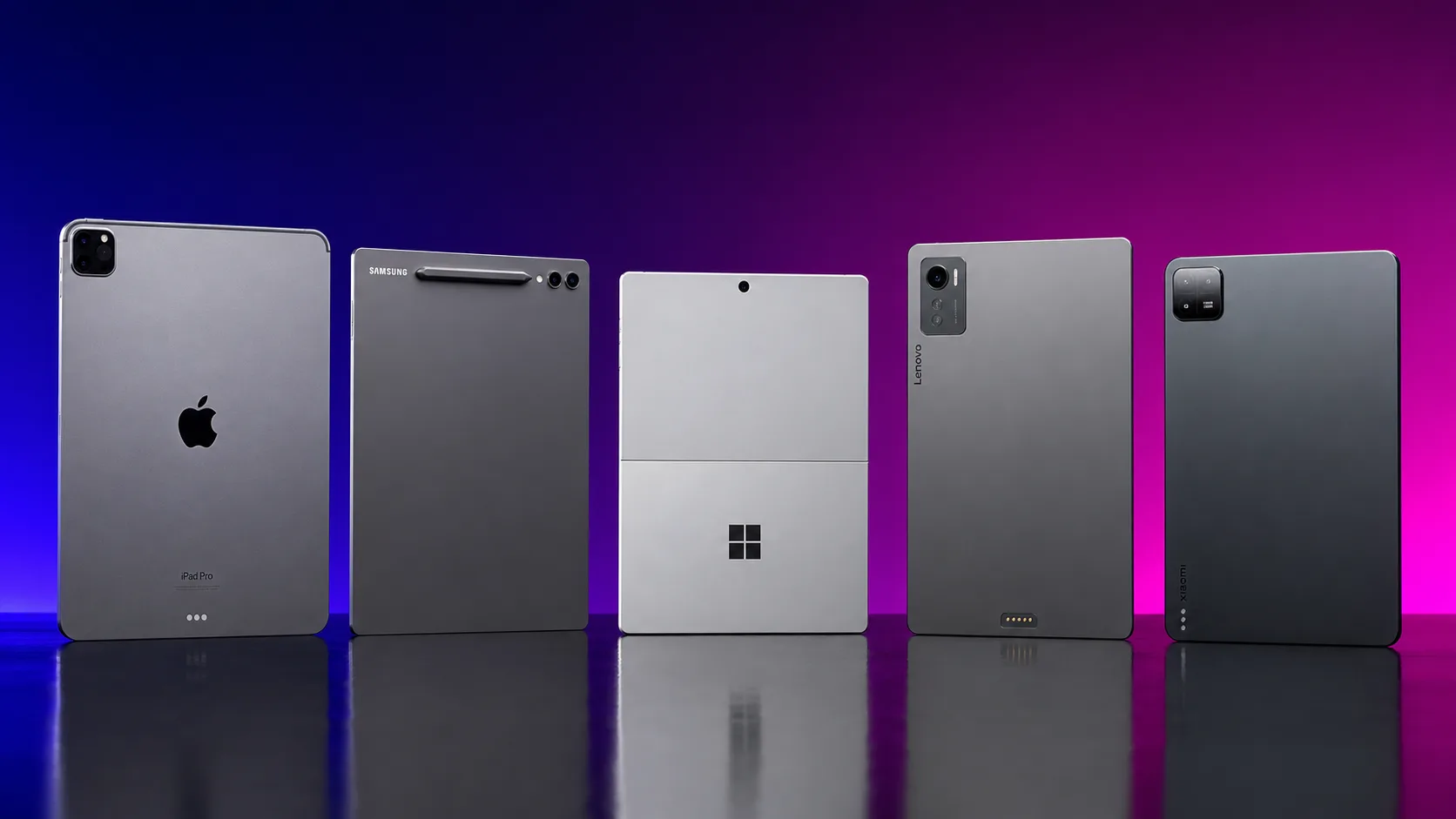
As of August 2026, the tablet market looks calm on the surface, but underneath it’s been one of the noisiest categories of the past six months. With DRAM and NAND memory prices spiking, the iPad Pro’s entire US lineup jumped by $200, and Korean retail prices for the Galaxy Tab S11 series have been hiked twice in just a few months. If you walk in assuming “the price I saw last year” is still accurate, you’re in for an unpleasant surprise. This tablet comparison doesn’t stop at listing spec sheets — we lay out five brands while being transparent about what’s actually changed and what we simply couldn’t confirm.
According to IDC’s Q1 2026 figures, Apple’s iPad holds a commanding ~40% market share (up from ~37% a year earlier, with 14.8 million units shipped), while Samsung sits a distant second at roughly 17% — less than half of Apple’s share. Meanwhile, a separate quarterly report from Canalys, a different research firm, has Huawei overtaking Lenovo for third place — a reminder that rankings and figures shift depending on which firm and which quarter you’re looking at. Rather than blending numbers from unclear sources into a single confident claim, we’ve made a point of labeling exactly which institution and which time period each figure comes from.
The overall tablet market is expected to contract due to memory-driven price hikes and inventory adjustments, but Apple alone is forecast to keep growing, buoyed by upgrade demand and emerging-market sales. With Apple and Samsung forming a clear duopoly at the top, Lenovo, Xiaomi, and Huawei are fighting it out in the budget and value segment. When real buyers choose a tablet, the decision tends to come down to three things: (1) the stylus and note-taking experience plus ecosystem lock-in (Apple Pencil vs. S Pen vs. Surface Slim Pen — and whether the pen is bundled or sold separately), (2) whether it can genuinely replace a PC (Surface, running full Windows, leads here, followed by the iPad’s Stage Manager and the Galaxy Tab’s Samsung DeX), and (3) total cost of ownership once you add a keyboard and pen.
This piece works through five camps — the iPad Pro (M5) and iPad Air (M4), the Galaxy Tab S11 series, the Surface Pro (12th Gen), Lenovo’s tablet lineup (Legion Tab Y700 Gen 5, Tab Plus Gen 2, Idea Tab Pro Gen 2), and the Xiaomi Pad series (Pad 7, Redmi Pad 2) — through a master comparison table, per-product deep dives, benchmarks, a full pricing breakdown, recommendations by user type, practical tips, and an FAQ. If you’re also shopping for a note-taking app to go with your new tablet, check out our Notion vs. Obsidian vs. Apple Notes vs. Craft comparison as well.
1. Executive Summary: The 2026 Tablet Comparison at a Glance
For readers short on time, here’s the essence of all five product lines compressed into a single table.
📊 August 2026 Master Comparison: The Top 5 Tablets
| Category | iPad Pro (M5) | Galaxy Tab S11 / Ultra | Surface Pro (12th Gen) | Lenovo Tab (Legion Tab Y700 Gen 5) | Xiaomi Pad (Pad 7 / Redmi Pad 2) |
|---|---|---|---|---|---|
| Core design philosophy | Premium creator tablet with OLED | Large-screen Android productivity with a bundled pen | Full Windows 11 2-in-1 | Android gaming and media specialist | Value-focused Android tablet |
| Latest version/model | 11” / 13”, M5 chip (launched October 2025) | S11 / S11 Ultra (launched in Korea September 2025) | Snapdragon X Plus/X2-based 12” (launched in Korea July 2025) | Legion Tab Y700 Gen 5 (March 2026), Tab Plus Gen 2 (June 2026) | Korea gets Pad 7 (March 2025), Redmi Pad 2 (May 2026) |
| Display | Tandem OLED, ~2752×2064, 264ppi, ProMotion 10-120Hz | 11” Dynamic AMOLED 2X, up to 1,600 nits, 120Hz | 12” PixelSense LCD touchscreen | 8.8” 3K (3040×1904) LCD, 165Hz, 750 nits | 11.2” 3.2K LCD, 144Hz, 800 nits (global Pad 8 spec) |
| Chipset/AP | Apple M5 (9- or 10-core CPU + 10-core GPU) | MediaTek Dimensity 9400+ (3nm) | Snapdragon X Plus 8-core, or higher-tier X2 series | Snapdragon 8 Elite Gen 5 | Snapdragon 8s Gen4 (global Pad 8 spec) |
| Memory/storage | 256GB model: 12GB RAM; 1TB/2TB models: 16GB RAM | 12GB RAM + 128/256/512GB; top tier goes up to 16GB/1TB | 16GB RAM / 256GB SSD as the base config | Up to 16GB LPDDR5T + 512GB UFS4.1 Pro | 8GB/128GB up to 12GB/512GB (global Pad 8 spec) |
| Korean starting price | 11” from ₩1,999,000 (~$1,450) | S11 street price from | 12” from ₩1,329,000 (~$965) | Legion Tab Y700 Gen 5 from ₩1,099,000 (~$800) | Pad 7 from ₩459,800 ( |
| Pen included? | Sold separately (Apple Pencil Pro) | S Pen bundled in the box | Keyboard + Slim Pen bundle sold separately | Not confirmed | Not confirmed |
| Desktop mode | Stage Manager (up to 4 apps) | Samsung DeX → rebranded “Desktop” starting with One UI 8 | Full Windows 11 (the concept of “desktop mode” doesn’t even apply) | Limited (maturity unconfirmed) | Not confirmed |
| Weight | ~579g (11” Wi-Fi) | 5.1mm thick — marketed as the “thinnest Galaxy Tab ever” (Ultra) | ~0.68kg | To be confirmed | To be confirmed |
| Strengths | Best-in-class hardware, Tandem OLED, mature creative app ecosystem | Pen included, large 8,400mAh battery, IP68 rating | True laptop replacement, full Windows app compatibility | 165Hz high refresh rate, powerful gaming chipset | Unbeatable value |
| Weaknesses | Real-world cost balloons once you add the pen and keyboard | US list price varies depending on the source | Keyboard sold separately; battery life shorter than iPad’s | Desktop productivity still immature | Latest global flagship not sold in Korea |
| Best fit for | Creators, Apple ecosystem users | Note-takers and multitaskers who want to skip the extra pen cost | Anyone who wants a tablet that acts like an actual laptop | Mobile gamers and video-watching-first users | Budget buyers and secondary-tablet shoppers |
The two rows worth paying the most attention to here are “Pen included?” and “Desktop mode.” Even among tablets in the same roughly-$1,000 price bracket, the Galaxy Tab throws in the S Pen at no extra cost, while the iPad requires you to buy the Apple Pencil Pro separately — so the real-world price gap ends up much wider than the sticker prices suggest. And on the question of “can this actually replace a laptop,” only the Surface Pro gives you a fully satisfying answer; the other four are still bound, to varying degrees, by the limits of a tablet OS.
2. Deep Dive: Core Features of the Top 5 Tablets
🍎 1) Apple iPad Pro (M5) & iPad Air (M4) — The Hardware Champion, With Ecosystem Lock-In
- The M5 chip and Tandem OLED: Launched in October 2025, the iPad Pro packs an Apple M5 chip (9- or 10-core CPU plus a 10-core GPU) and a Tandem OLED panel delivering roughly 2752×2064 resolution (264ppi) with ProMotion’s variable 10-120Hz refresh rate. On Geekbench, it posts a single-core score of around 4,155 and a multi-core score of around 16,517 — the best computational performance of any tablet on the market.
- Memory scales with storage tier: The 256GB model ships with 12GB of RAM, while the 1TB and 2TB flagship configurations bump that up to 16GB. The 11” Wi-Fi model is impressively light at around 579g.
- Prices, meanwhile, have been climbing: In Korea, the 11” Wi-Fi 256GB/12GB RAM model starts at ₩1,999,000 (
$1,450), and the top-spec 13” model with nanotexture glass (Wi-Fi + Cellular) tops out at ₩4,919,000 ($3,570). Notably, in June 2026 the entire US lineup got a $200 price hike due to the memory price spike (now starting at $1,199 for the 11” and $1,499 for the 13”), and Korean pricing has been confirmed to be higher than the previous M4-generation model as well. - One step down: the iPad Air (M4): Announced in March 2026, the iPad Air packs an M4 chip (9-core GPU, 16-core Neural Engine, 12GB of unified memory) that Apple claims is about 30% faster than the previous M3 generation — yet US starting prices held steady at $599 for the 11” and $799 for the 13”. In Korea, the 11” Wi-Fi 128GB model starts at ₩1,249,000 (~$905), a much more approachable price point than the Pro line. Connectivity also improved thanks to the new N1/C1X wireless chips, and it supports both the Apple Pencil Pro and the USB-C Apple Pencil (though it’s not compatible with the Magic Keyboard designed for the newer iPad Pro).
- The weak spot is still accessory costs: The Apple Pencil Pro must be purchased separately and reportedly runs around $129 (the USB-C Apple Pencil is cheaper, at around $79). Add the Magic Keyboard on top of that, and the gap between the base price and your real-world total spend widens noticeably.
📱 2) Samsung Galaxy Tab S11 / S11 Ultra — The Power of a Bundled S Pen
- The thinnest Galaxy Tab ever made: Launched in Korea in September 2025, the Galaxy Tab S11 Ultra measures just 5.1mm thick, earning it the title of the “thinnest Galaxy Tab ever.” Its 11-inch Dynamic AMOLED 2X display hits up to 1,600 nits of brightness and a 120Hz refresh rate.
- Powered by the MediaTek Dimensity 9400+: Built on a 3nm process with a 1+3+4 core layout, a 3.73GHz Cortex-X925 prime core, a 12-core Immortalis-G925 GPU, and an NPU 890. Memory configurations run from 12GB RAM with 128/256/512GB storage up to a top-tier 16GB RAM/1TB. The 8,400mAh battery supports 45W fast charging and is rated for up to 18 hours of video playback.
- The S Pen comes in the box: This is the clearest point of differentiation from the Apple and Microsoft camps. Because you never have to buy the pen separately, the real-world total cost stays close to the sticker price. The camera setup is a 13MP rear and 12MP front, and the tablet supports IP68 water/dust resistance, an Armor Aluminum chassis, and an in-display fingerprint sensor.
- Desktop mode is evolving: Starting with One UI 8, Samsung DeX has been rebranded and refined as “Desktop,” letting you pull down the app handle to switch modes, use multiple workspaces, and freely drag apps between screens when connected to an external monitor. That said, some user reviews mention that “DeX mode feels different on the Tab S11,” though exactly what changed hasn’t been clearly confirmed.
- Prices have risen twice recently: As of August 2026, Korean street prices (per Danawa, a Korean price-comparison site) sit around ₩1,034,000 (
$750) for the 128GB S11, ₩1,200,000 ($870) for the 256GB, and ₩1,400,000 ($1,015) for the 512GB — the result of two hikes, on March 10 and April 7, 2026, driven by the memory price spike and exchange-rate pressure. The Ultra model was reported to start “from ₩1,598,000 ($1,160)” at launch. As for the official US list price, sources conflict: one lists $799/$859/$979 for 128GB/256GB/512GB, while another cites $649 for the 256GB (possibly a discounted price) — so it’s genuinely unclear which figure is the true list price. - Accessory costs: The slim keyboard-and-case combo runs $199.99, and the aluminum Pro Keyboard is $349.99 (for the S11), while the Ultra’s Pro Keyboard starts at $400. Given that the S Pen is included at no extra cost, the Galaxy Tab still holds up well on total cost of ownership.
💻 3) Microsoft Surface Pro (12th Gen) — The Only “Real PC” in This Comparison
- Full Windows 11, no compromises: Microsoft Korea officially launched the Surface Pro 12” alongside the Surface Laptop 13” on July 15, 2025. Unlike the other four devices here, the very idea of “desktop mode” is moot for the Surface — it runs a genuinely complete Windows 11 desktop OS from the moment you turn it on, and that’s the Surface’s core differentiator.
- Snapdragon-powered: The base configuration uses a Qualcomm Snapdragon X Plus (8-core), while higher-tier configurations step up to the Snapdragon X2 series. Its Hexagon NPU delivers 45 TOPS, earning it Copilot+ PC certification. Business buyers also have the option of an Intel Core Ultra 300-series configuration.
- Display and weight: It carries a 12-inch PixelSense LCD touchscreen and weighs a lightweight ~0.68kg (1.5 lbs). Ports include two USB-C (USB 3.2) connectors, plus Wi-Fi 7 and Bluetooth 5.4.
- Battery life is relatively middling: Microsoft claims 16 hours of local video playback and 12 hours of active web browsing — figures that can feel a bit short compared to the all-day stamina of the iPad Pro or Galaxy Tab.
- Pricing: In Korea, the base configuration (Snapdragon X Plus 8-core, LCD, 16GB RAM/256GB SSD) starts at ₩1,329,000 (~$965). In the US, it starts at $849 (Snapdragon X Plus Core), with the 512GB configuration at $1,149.99 and the business-oriented Intel Core Ultra 5 model starting at $1,949. The standalone keyboard runs roughly $119.99–$199.99 (promotional pricing), the keyboard-plus-Slim-Pen bundle is $199.99 (discounted), and the premium Flex Keyboard climbs to $400 without the pen or $500 with it. The non-discounted list prices for these keyboards aren’t clearly confirmed, though, so be sure to check whether a promotion is actually in effect before you buy.
- Still a solid pick: Coverage from earlier in 2026 confirms that “even with the higher-end X2 lineup now available, the 12-inch model remains a valid choice.” If you’re seriously considering a tablet as a laptop replacement, this is the first candidate you should look at in this tablet comparison.
🎮 4) Lenovo’s Tablet Lineup — From Gaming to Productivity
- Legion Tab Y700 Gen 5: This gaming-focused model officially launched in Korea on March 16, 2026. It packs an 8.8-inch 3K (3040×1904) LCD with a 165Hz refresh rate, a 16:10 aspect ratio, and 750-nit brightness, paired with a Snapdragon 8 Elite Gen 5 chipset, up to 16GB of LPDDR5T RAM plus 512GB of UFS 4.1 Pro storage, a 9,000mAh battery, and dual USB-C ports (for simultaneous charging and peripheral connections). Korean pricing runs ₩1,099,000 (
$800) for 12GB/256GB and ₩1,199,000 ($870) for 16GB/512GB, with pre-order discounts bringing those down to roughly the ₩990,000s and ₩1,090,000s. Globally, it’s listed at $849 in the US and €999 in Europe. - Tab Plus Gen 2: Aimed at media consumption, this model launched in Korea on June 29, 2026. It features a 12.1-inch 2.5K LCD with Dolby Vision and HDR10, 800-nit brightness, a large 10,200mAh battery, 45W fast charging, a JBL 9-speaker setup with Dolby Atmos, plus AI real-time translation, AI note-taking, and a smart reader feature. However, the exact Korean retail price and the specific chipset weren’t disclosed in the press materials, so we couldn’t confirm them.
- Idea Tab Pro Gen 2: Announced at MWC 2026, this 13-inch productivity-oriented model comes with a 3.5K PureSight Pro display, a 144Hz refresh rate, Dolby Vision, and 800-nit brightness — but it steps down a tier from the Legion Tab, using a Snapdragon 8s Gen4 chipset.
- Desktop mode remains a question mark: Lenovo appears to offer a limited desktop mode of its own on some models, but we couldn’t confirm from available sources whether it matches the polish of Samsung DeX or the iPad’s Stage Manager. It’s more accurate to think of this lineup as focused on gaming and media consumption rather than productivity.
💰 5) Xiaomi Pad Series — Unbeatable Value, But Korea Gets a Different Lineup
- The global flagship is the Pad 8/8 Pro: Launched globally at MWC 2026 (late February to early March). It comes with an 11.2-inch 3.2K (3200×2136) LCD in a 3:2 aspect ratio, a 144Hz variable refresh rate, 800-nit brightness, and Dolby Vision, powered by a Snapdragon 8s Gen4 (4nm) chipset with LPDDR5X memory, a 9,200mAh battery with 67W fast charging, and HyperOS 3 running on Android 16. European pricing is €449.99 for 8GB/128GB, €499.99 for 8GB/256GB, and €599.99 for 12GB/512GB, while US pricing starts at $375.
- However, an official Korean launch hasn’t been confirmed: The most current models actually available for purchase in Korea are the Xiaomi Pad 7, launched March 25, 2025 (8GB/128GB at ₩459,800, roughly $335; 8GB/256GB at ₩499,800, roughly $362), the Xiaomi Pad Mini launched September 25, 2025, and the ultra-budget Redmi Pad 2 9.7, launched May 6, 2026 (4GB/64GB at ₩229,800, roughly $167; 4GB/128GB at ₩249,800, roughly $181). Rather than assuming “the Pad 8 is available in Korea too,” Korean shoppers should be clear that the Pad 7, Pad Mini, and Redmi Pad 2 lineup is what’s actually on offer.
- Desktop mode: We found no evidence that HyperOS includes a desktop mode on par with Samsung DeX or Stage Manager. A stylus is presumably sold separately as well, though we couldn’t confirm exact Korean pricing for it.
- Positioning: Unbeatable value is the core selling point here. It’s an appealing choice for a kid’s secondary tablet, a dedicated video-watching device, or a student on a tight budget — but note-taking and productivity polish clearly lag behind the other four product lines.
3. Performance Benchmark Showdown
[Tablet Comparison as of August 2026 - Computational Performance Ranking]
iPad Pro (M5)              : ⭐⭐⭐⭐⭐ Strongest single-core, best-in-class among tablets
Surface Pro (X2 Elite ref.): ⭐⭐⭐⭐☆ Multi-core beats the M5, but figures are from a chipset leak
Galaxy Tab S11 Ultra       : ⭐⭐⭐☆☆ AnTuTu score up +43% over the previous generation
Lenovo Legion Tab Y700 Gen5: ⭐⭐⭐☆☆ GPU performance up 20-30% gen-over-gen (per manufacturer)
Xiaomi Pad 8 : ⭐⭐☆☆☆ Mid-tier chipset, real-world benchmark scores unconfirmed| Product | Chipset | Geekbench Single/Multi | Other benchmarks |
|---|---|---|---|
| iPad Pro (M5) | Apple M5 (9-10 core) | ~4,155 / ~16,517 | - |
| Galaxy Tab S11 Ultra | MediaTek Dimensity 9400+ | ~2,811 / ~9,126 | AnTuTu: roughly 2.22-2.87 million depending on source; up ~43% vs. the S10 Ultra |
| Surface Pro (reference figures) | Snapdragon X2 series | ~4,080 / ~23,491 | Multi-core beats M5; single-core is a slight edge for M5 |
| Lenovo Legion Tab Y700 Gen 5 | Snapdragon 8 Elite Gen 5 | Not confirmed | GPU performance up 20-30% gen-over-gen (per manufacturer claim) |
| Xiaomi Pad 8 | Snapdragon 8s Gen4 | Not confirmed | - |
There’s one important caveat in this tablet comparison benchmark table that deserves a callout. The Geekbench figures listed for the Surface Pro aren’t from an actual hands-on test of a Surface Pro unit — they’re cited from a separate leaked benchmark for the Snapdragon X2 Elite Extreme chipset family that the Surface uses. In other words, no real-world benchmark of an actual Surface Pro 12” or 13” unit has been confirmed, so it’s safer to treat these numbers as a rough reference point rather than “the Surface Pro’s actual performance.”
On single-core performance, the Apple M5 still leads at around 4,155 points, while on multi-core, the Snapdragon X2 series (reference figures) pulls ahead at around 23,491 points versus the M5’s 16,517. In practice, that suggests heavy single-threaded tasks (light editing, UI responsiveness) may favor the iPad Pro, while multi-core-heavy work like rendering or compiling may favor the Surface Pro. On the Android side, the Galaxy Tab S11 Ultra posted an AnTuTu score roughly 43% higher than its predecessor, the S10 Ultra, narrowing the generational gap, and Lenovo’s gaming-focused Legion Tab Y700 Gen 5, built on the Snapdragon 8 Elite Gen 5, is claimed by the manufacturer to deliver 20-30% better GPU performance than the previous generation (though again, this figure comes from the manufacturer, not independent third-party testing).
4. Complete Pricing Comparison
[Korean Starting Prices - Lowest to Highest]
Redmi Pad 2 9.7            : ₩229,800 / ~$167 (4GB/64GB, ultra-budget line)
Xiaomi Pad 7                : ₩459,800 / ~$335 (8GB/128GB)
Surface Pro 12"              : ₩1,329,000 / ~$965 (Snapdragon X Plus, 16GB/256GB)
Legion Tab Y700 Gen 5        : ₩1,099,000 / ~$800 (12GB/256GB)
Galaxy Tab S11               : ~₩1,034,000 / ~$750 (128GB, August 2026 street price)
iPad Air 11"                 : ₩1,249,000 / ~$905 (Wi-Fi 128GB)
Galaxy Tab S11 Ultra          : from ₩1,598,000 / ~$1,160 (launch-announced price)
iPad Pro 11"                 : from ₩1,999,000 / ~$1,450 (Wi-Fi 256GB)
💰 Detailed Pricing & Plans Comparison
| Product | Entry price (Korea) | Top-spec price (Korea) | Reference (US) | Notes |
|---|---|---|---|---|
| iPad Pro 11” | ₩1,999,000 / ~$1,450 (256GB/12GB RAM) | ₩4,069,000 / ~$2,950 (1TB-2TB, nanotexture) | From $1,199 | Entire US lineup got a $200 hike in June 2026 |
| iPad Pro 13” | ₩2,499,000 / ~$1,810 (256GB/12GB RAM) | ₩4,919,000 / ~$3,570 (nanotexture, cellular) | From $1,499 | Same price hike applied as above |
| iPad Air 11” | ₩1,249,000 / ~$905 (Wi-Fi 128GB) | ₩2,519,000 / ~$1,825 (1TB, Wi-Fi+Cellular) | From $599 | Starting price held flat vs. the M3 predecessor |
| Galaxy Tab S11 | ~₩1,034,000 / ~$750 (128GB, street price) | ~₩1,400,000 / ~$1,015 (512GB, street price) | $799-979, though sources conflict | Two Korean price hikes in March and April 2026 |
| Galaxy Tab S11 Ultra | From ₩1,598,000 / ~$1,160 (launch price) | $1,619 (1TB, US) | $1,199-1,619 | 5.1mm thick, S Pen included |
| Surface Pro 12” | ₩1,329,000 / ~$965 (16GB/256GB) | $1,949 (business, Intel Core Ultra 5) | From $849 | Only promotional keyboard pricing confirmed; list price unclear |
| Legion Tab Y700 Gen 5 | ₩1,099,000 / ~$800 (12GB/256GB) | ₩1,199,000 / ~$870 (16GB/512GB) | $849 / €999 | Pre-order pricing in the ₩990,000s-₩1,090,000s |
| Xiaomi Pad 7 | ₩459,800 / ~$335 (8GB/128GB) | ₩499,800 / ~$362 (8GB/256GB) | Pad 8 not confirmed for Korea | Current flagship model sold in Korea |
| Redmi Pad 2 9.7 | ₩229,800 / ~$167 (4GB/64GB) | ₩249,800 / ~$181 (4GB/128GB) | - | Ultra-budget secondary tablet |
A price table alone hides three traps that are easy to miss. First, always check whether the pen and keyboard are included in the sticker price. Because the Galaxy Tab bundles the S Pen, its list price is close to its real-world cost — but for the iPad and Surface Pro, the sticker price excludes the pen and keyboard, so once you add the Apple Pencil Pro ($129), a Magic Keyboard, or a Surface Pro keyboard (roughly $119.99-$199.99), your actual total spend can balloon by at least ₩200,000-₩500,000 ($145-$360). Second, remember that two rounds of memory-driven price hikes in the first half of 2026 hit both the iPad Pro and the Galaxy Tab S11. If you’re budgeting off a price comparison you screenshotted a few months ago, you may be in for a surprise when you actually check out. Third, the Galaxy Tab S11’s official US list price is reported inconsistently across sources. One source lists $799/$859/$979 for the 128GB/256GB/512GB configurations, while another lists $649 for the 256GB — and it’s not clear which is the true list price versus a promotional one. It’s safest to double-check on Samsung’s official store before buying.
5. Final Recommendations by User Type
🎯 1) Students and professionals doing mostly note-taking and drawing who want to skip the extra pen expense
- Best pick: Galaxy Tab S11 (or Ultra)
- Why: The S Pen comes bundled in the box, so unlike the iPad or Surface, you never need to buy a pen separately. The large 8,400mAh battery and IP68 water/dust resistance also hold up well in daily use.
🎯 2) Office workers and developers who want a tablet that genuinely functions as a laptop
- Best pick: Surface Pro (12th Gen)
- Why: Because it runs full, unmodified Windows 11, enterprise software, legacy programs, and VPN clients all run at a level of completeness that the iPad’s Stage Manager or the Galaxy Tab’s Desktop mode simply can’t match.
🎯 3) Creators focused on video editing, illustration, and other creative work
- Best pick: iPad Pro (M5)
- Why: The Tandem OLED display, the M5 chip’s dominant single-core performance, and a mature creative app ecosystem (Procreate, Final Cut Pro, and the like) are its biggest strengths. If you’d like to compare graphic design tools more broadly, check out our Photoshop vs. Figma vs. Canva vs. Illustrator vs. Photopea comparison.
🎯 4) Users who prioritize mobile gaming and watching video
- Best pick: Lenovo Legion Tab Y700 Gen 5
- Why: The 165Hz high-refresh display, the gaming-tuned Snapdragon 8 Elite Gen 5, and the large 9,000mAh battery give you plenty of headroom for long gaming sessions. Just don’t expect much from its desktop mode as a productivity tool.
🎯 5) Buyers who want to minimize spend on a kid’s tablet or a secondary device
- Best pick: Xiaomi Redmi Pad 2 9.7 or Pad 7
- Why: Priced in the roughly ₩200,000-₩400,000 range (~$145-$290), these are the cheapest of the five brands by far. Don’t expect desktop-level productivity, but they’re more than adequate for video watching, web browsing, and light study use.
🎯 6) Users already fully locked into the Apple or Samsung ecosystem
- Best pick: Whichever brand you’re already in (iPad Air or Galaxy Tab S11)
- Why: If you’re relying on Handoff, Universal Clipboard, or iMessage between your iPhone and Mac, the iPad Air delivers plenty of performance at a much more reasonable price than the Pro. Conversely, if you’re a Galaxy phone or Galaxy Book user, Samsung DeX integration and Quick Share make the Galaxy Tab S11’s workflow far smoother.
6. Practical Tips & Common Mistakes
✅ Tip 1) Budget for the “real-world price,” including the pen and keyboard
Deciding based on the sticker price alone is a good way to get a nasty surprise at checkout. The iPad requires a separate Apple Pencil Pro (~$129) and Magic Keyboard; the Surface Pro needs its keyboard-plus-Slim-Pen bundle (promotional price $199.99). The Galaxy Tab, by contrast, is free of this calculation since the S Pen comes included. When using this tablet comparison for your own budgeting, always compare based on the total cost including accessories.
✅ Tip 2) Remember that 2026 prices reflect the post-memory-price-spike era
The iPad Pro’s entire US lineup got a $200 hike in June 2026, and the Galaxy Tab S11 saw its Korean street price raised twice, in March and April. If you plan your budget based on information from a few months back, it may no longer match what you actually pay — so make it a habit to re-check current prices on official stores or a price-comparison site like Danawa right before you buy.
✅ Tip 3) Be aware of the discrepancy in US/Korean pricing data before buying a Galaxy Tab S11
The Galaxy Tab S11’s official US list price conflicts across sources — one lists the 128GB starting at $799, another lists the 256GB at $649. If you’re considering an overseas purchase, be sure to verify the live price on Samsung’s official store before deciding.
✅ Tip 4) With Xiaomi, first confirm what’s actually available in Korea
The global flagship Pad 8/8 Pro is generating buzz, but as of August 2026 its official Korean launch hasn’t been confirmed. The current models actually available for purchase in Korea are the Pad 7, Pad Mini, and Redmi Pad 2 lineup — so be careful not to mistake specs from overseas Pad 8 reviews for what you’ll actually be buying in Korea.
✅ Tip 5) If desktop mode maturity is a priority, start your search with the Surface Pro
If your goal is genuinely replacing a laptop with a single tablet, the ranking here is clear-cut. The Surface Pro, running full Windows 11, is far ahead, followed by the iPad’s Stage Manager, then the Galaxy Tab’s Samsung DeX (Desktop mode). The Lenovo and Xiaomi lines are Android-based, and their desktop-class multitasking maturity hasn’t been verified, so they’re hard to recommend to productivity-first buyers.
✅ Tip 6) Learn to tell “actual test results” apart from “reference figures” in benchmarks
The Geekbench numbers cited for the Surface Pro aren’t from hands-on testing of an actual Surface Pro — they’re pulled from a leaked benchmark for the chipset family it uses (Snapdragon X2 Elite Extreme). Similarly, the Legion Tab Y700 Gen 5’s “20-30% GPU improvement” claim comes straight from the manufacturer. Rather than basing your purchase decision entirely on a single performance number, it’s safer to weigh it alongside real hands-on reviews.
7. Frequently Asked Questions (FAQ)
Q. What’s the single most important factor to check first in a 2026 tablet comparison?
Whether you need a pen and keyboard, and how often you plan to use the tablet as a laptop replacement. Once those two questions are answered, your candidates from among the five brands narrow down to one or two. Budget comes next — and 2026 in particular is a time when both the iPad Pro and Galaxy Tab S11 have seen price hikes due to the memory price spike, so be sure to re-check the latest street prices.
Q. Does the Galaxy Tab S11 really come with the S Pen included?
Yes — both the Galaxy Tab S11 and S11 Ultra ship with the S Pen included at no extra cost. This stands in clear contrast to the iPad, which requires a separately purchased Apple Pencil Pro, and the Surface Pro, which requires a separately purchased Slim Pen.
Q. Can I use the Surface Pro as lightly and comfortably as an iPad?
At around 0.68kg, it’s somewhat heavier than the iPad Pro (~579g), but it’s still comfortable enough to carry around. That said, battery life is rated at 16 hours of local video playback and 12 hours of active web use, so over a full day of use, you may find yourself needing to charge more often than you would with an iPad or Galaxy Tab.
Q. Can I buy the Xiaomi Pad 8 in Korea?
As of August 2026, an official Korean launch hasn’t been confirmed. The most current Xiaomi tablets officially available for purchase in Korea are the Pad 7 (launched March 2025), the Pad Mini (launched September 2025), and the Redmi Pad 2 9.7 (launched May 2026). Be careful not to confuse Pad 8 specs from overseas reviews with what’s actually purchasable in Korea.
Q. Should I get the iPad Pro or the iPad Air?
If your main use is creative work (video editing, illustration, 3D) or you need the absolute best performance, the M5-powered iPad Pro is the right call. But for everyday use — documents, note-taking, watching video — the M4-powered iPad Air is more than capable, and it’s worth factoring in that its Korean starting price is significantly lower (from ₩1,249,000, ~$905, for the 11” model).
Q. For productivity, which is better between the Legion Tab and the Idea Tab Pro?
The Legion Tab Y700 Gen 5 has higher raw performance thanks to its Snapdragon 8 Elite Gen 5, but it’s optimized for gaming and high refresh rates. The Idea Tab Pro Gen 2 leans more productivity-oriented with its large 13-inch, 3.5K display, but uses a step-down Snapdragon 8s Gen4 chipset. For pure productivity, the larger-screened Idea Tab Pro Gen 2 is the better fit; if gaming is also part of the equation, the Legion Tab Y700 Gen 5 makes more sense.
Q. I do a lot of browsing and use web-based work tools on my tablet — does the OS make a big difference?
The Surface Pro can run a genuine desktop version of Chrome or Edge, giving it the best compatibility with web-based work tools by a wide margin. The iPad, Galaxy Tab, Lenovo, and Xiaomi tablets all rely on mobile browsers, so some web apps may behave differently than they do on desktop. If you’re curious which browser feels smoothest on a tablet, take a look at our Chrome vs. Safari vs. Whale vs. Arc vs. Brave comparison.
Q. Which combination offers the lowest total cost of ownership (TCO) among the five brands?
If you absolutely need a pen, the Galaxy Tab S11 has the edge thanks to the bundled S Pen. If you don’t need a pen at all, the Redmi Pad 2 9.7 or Xiaomi Pad 7 offer the lowest entry price of the bunch. On the flip side, if you’re aiming to replace a laptop entirely, the Surface Pro requires a bigger upfront investment but can make sense long-term, since it saves you from buying a separate laptop altogether.
8. Conclusion: Practical Decision Criteria for the 2026 Tablet Comparison
As of August 2026, the conclusion of this tablet comparison is straightforward. The question “which tablet is the best” is the wrong question to ask — the right one is “what am I actually going to do with this tablet?” If note-taking and the pen experience come first, the Galaxy Tab S11, with its bundled S Pen, is the answer. If genuinely replacing a laptop is the goal, the Surface Pro, running full Windows, is the answer. If you need top-tier performance for creative work, the iPad Pro (M5) is the answer.
At the same time, it’s worth remembering that 2026 is a year in which the memory price spike — a special, one-off variable — pushed up prices for both the iPad Pro and Galaxy Tab S11 simultaneously. Rather than trusting a price screenshot from a few months ago, re-check current prices on the official store right before you buy, and judge based on your real total spend, including accessories like the pen and keyboard. If your budget is tight, the Xiaomi Redmi Pad 2 or Pad 7 remains a sensible choice, and if gaming and media consumption come first, the Lenovo Legion Tab Y700 Gen 5 is still a solid alternative.
[Summary: The Best Pick for Your Situation]

Note-taking/pen-focused, want a pen at no extra cost
  → Galaxy Tab S11 / Ultra (S Pen included)

Want it to work like an actual laptop
  → Surface Pro 12th Gen (full Windows 11)

Need top creative/performance power
  → iPad Pro (M5, Tandem OLED)

Great value for everyday use, Apple ecosystem
  → iPad Air (M4)

Gaming- and media-focused
  → Lenovo Legion Tab Y700 Gen 5

Minimizing budget, kid's tablet or secondary device
  → Xiaomi Redmi Pad 2 9.7 / Pad 7
Whichever tablet you end up choosing, basing your decision on the real total cost — pen and keyboard included — rather than the sticker price, and matching it to how you’ll actually use it, is the surest way to end up with a choice you won’t regret.